
A deep scan runs multiple independent standard scans over the same repository or folder and combines their findings. Use it when you want repeated review and can allow for the additional runtime and token use.
Start with a standard scan to check that the scope and security context match your goal. Repeated review can find issues missed by an earlier pass, but doesn’t guarantee complete detection or identical results between runs.
Choose between standard and deep scans
| Standard scan | Deep scan | |
|---|---|---|
| Review | One standard scan | Multiple standard scans with combined findings |
| Use it for | A first scan or a review of a defined scope | Additional independent reviews of that scope |
| Scope | Repository or folder | Repository or folder |
| Changes | Use the change-review workflow | Not supported |
Start the deep scan
For the best scan quality, use gpt-5.6-sol
with xhigh reasoning effort.
- Open Security > Scans and select + Scan.
- Choose a repository or folder, select Codebase, and turn on Deep scan. The scan reviews the entire selected repository or folder.
- Choose the model and reasoning effort. Add threat-model or deployment context under Additional context.
- Select Start scan.
You can also start it from a Codex conversation:
Use $codex-security:deep-security-scan to run a deep security scan of this repository.For one component, replace “this repository” with the path to its folder.
Deep scan workers inherit your selected model and reasoning settings. Each worker runs a complete standard scan, and Codex Security aggregates the completed results. Follow the saved scan from Scans, or select View activity to inspect its Codex task. Set runtime limits before starting if you need to limit concurrency or duration.
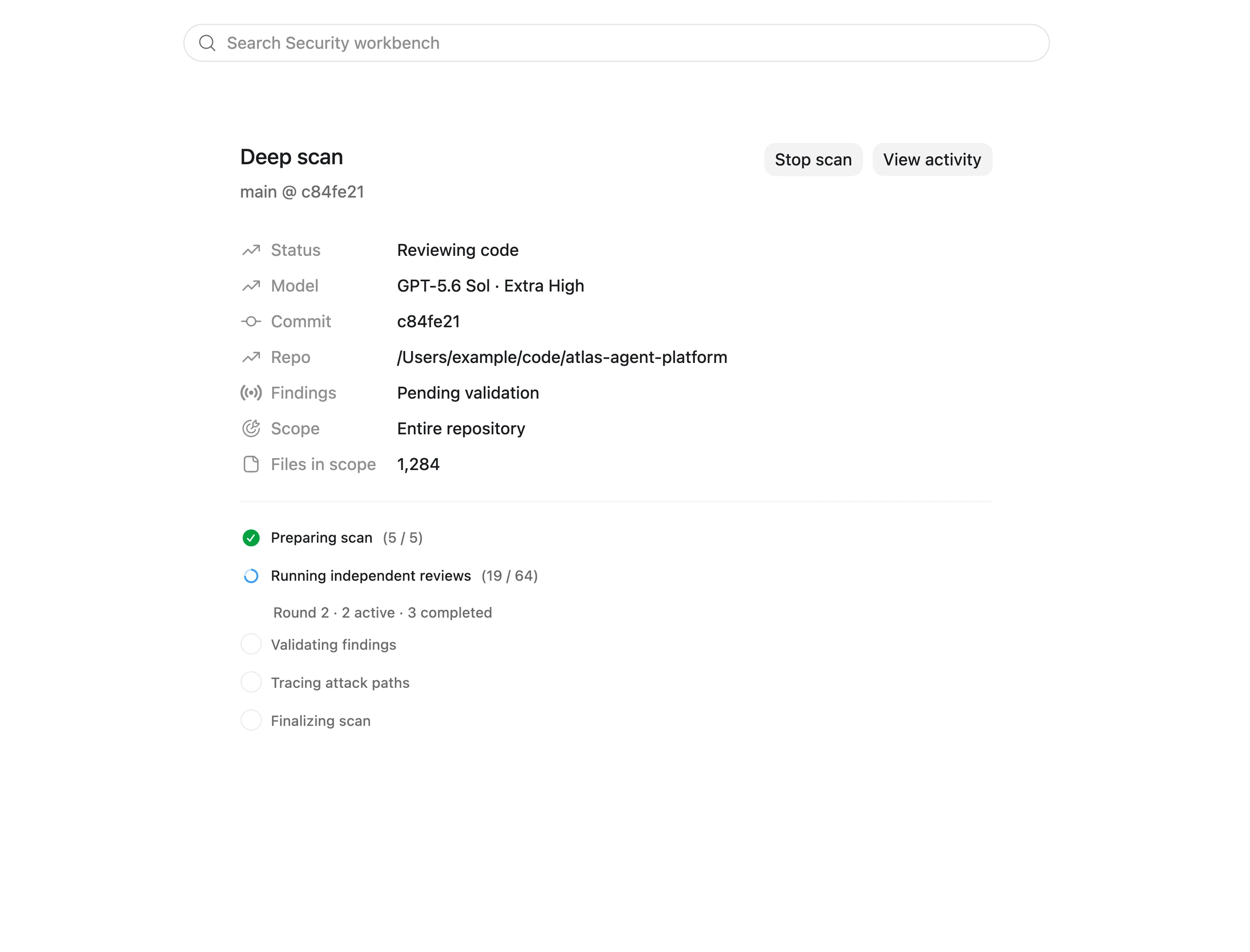

Track the active deep-scan phase and inspect its Codex activity before reviewing the completed result.
Review the result
Deep scans use the same saved scan details and complete scan directory as
standard scans. Open the completed scan in Scans or review its findings in
Findings. The generated report.md links to detailed vulnerability reports
or structural hardening guidance when you request those outputs.
Keep any linked findings/ and hardening/ directories with the report when
sharing or archiving the result.
Review the coverage summary before the findings. Even a deep scan has limits, so check deferred surfaces and remaining proof gaps before drawing a conclusion. For a finding you accept, continue with Fix and verify a finding.
To review a pull request, commit, branch range, or local patch, use Review code changes. Deep scans don’t accept diff targets.
Configure deep-scan runtime
To control a deep scan’s concurrency and duration, create or edit
~/.codex/codex-security/config.toml. If you set CODEX_HOME, use
$CODEX_HOME/codex-security/config.toml instead.
For example, this profile runs a shorter scan with limited concurrency:
[deep_scan]
workers = 2
subagents = 0
stop_after_no_new = 3
max_discovery_runs = 10
max_time_hours = 1.5| Setting | Default | Description |
|---|---|---|
workers |
4 |
Number of independent standard-scan workers allowed to run at the same time. Legacy "auto" also resolves to 4. |
subagents |
3 |
Number of subagents each worker may start. Set 0 to disable them. |
stop_after_no_new |
4 |
Stop after this many consecutive completed worker scans produce no new findings. |
stop_after_consecutive_errors |
3 |
Stop after this many consecutive worker errors. |
max_discovery_runs |
40 |
Limit the number of independent standard-scan runs before aggregation. |
max_time_hours |
96 |
Limit worker execution to a positive number of hours up to 96; use fractions as needed. |
Lower values can reduce scan time and token use but may miss findings. Configuration changes apply to new deep scans, not scans already in progress.
When the time limit expires, Codex Security stops unfinished workers, keeps completed scan results, and aggregates them into the final report. If no worker finishes source review before the deadline, the report records partial coverage.
The max_time_hours setting requires plugin version 0.1.19 or later. See the
plugin changelog for release details.