
Start with one finding whose evidence you accept. Generate a patch, review it, and verify the original issue against the changed code. A generated or applied patch isn’t yet a verified fix.
In the desktop workbench, generation leaves the selected checkout unchanged. Applying the patch changes that checkout. Verification checks the patch and records evidence without automatically closing the finding.
Fix a finding in the UI
Open an accepted finding from Findings or a completed scan in Scans. Review its evidence, then use Patch to generate, review, apply, and verify a fix.
-
Generate a patch
Open the finding, select the Patch tab, and select Generate patch. Codex validates or reproduces the issue when feasible and writes a patch artifact without modifying the selected checkout.
-
Review the proposed diff
Check the affected code and tests. Confirm that the change addresses the finding without unrelated refactors or weakened security controls.
-
Apply the patch locally
Select Apply patch only after the diff is acceptable. Codex applies the exact generated patch to the working tree and records that state. Review the working-tree diff before continuing.
-
Verify the fix
Select Verify fix. Codex reruns the original reproducer or another exploit check. When it can run a regression test, it checks that the test fails before the fix and passes after it. Otherwise, it records the verification gap and the checks it could complete. It also checks legitimate behavior, nearby bypasses, and repository tests.
-
Close the finding
Verification doesn’t automatically close a finding. Review the commands, results, and remaining proof gap, then close the finding with an accurate reason or keep it open for more work.

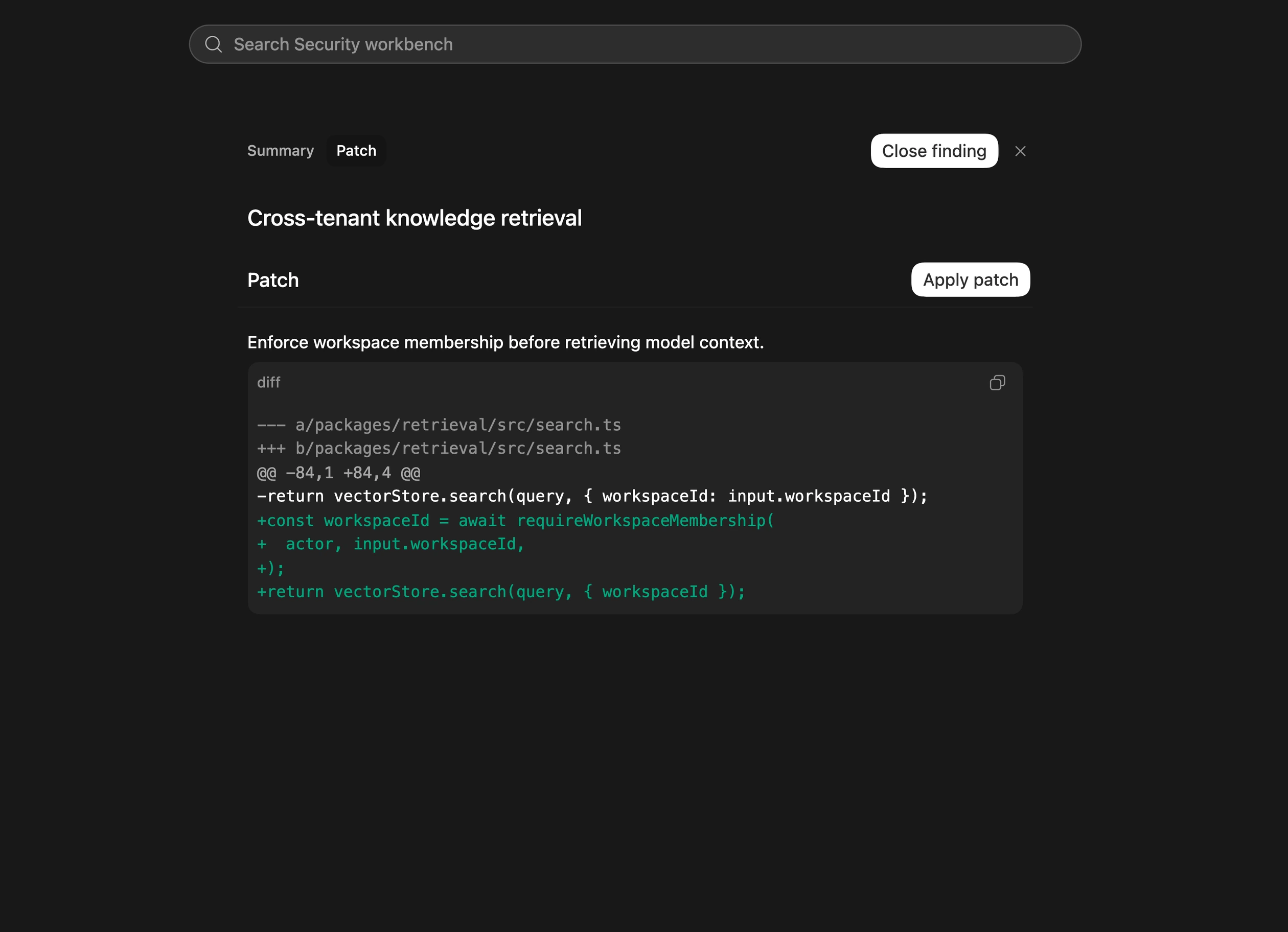
Review the generated security fix before applying it to your checkout.
Fix a finding in a conversation
Use the installed plugin with a finding from a scan, ticket, advisory, or other review. Supply the finding ID and report path, plus a reproducer or validation command if you have one:
Use $codex-security:fix-finding to fix finding <finding-id> from <report-path>. Verify the issue against this checkout, fix it, and test the original failure and legitimate behavior. Record any verification you couldn't complete.This authorizes edits to the checkout. Codex can inspect the repository for missing technical details, but may need you to clarify an intended security policy before choosing a fix.
Run remediation without interaction
For repeatable scans and patch generation, use the standalone CLI validate and patch commands.
To invoke the installed plugin through Codex CLI, install Codex Security in
the runner’s CODEX_HOME first. A fresh runner doesn’t include marketplace
plugins by default. Use a separate checkout or job for each accepted finding:
codex exec --sandbox workspace-write 'Use $codex-security:fix-finding to fix finding <finding-id> from <report-path>. Verify the issue against this checkout, fix it, and test the original failure and legitimate behavior. Record any verification you could not complete.'The writable sandbox allows the workflow to edit source and tests. Preserve the patch and verification evidence for review. For installation, scan setup, and artifact handling, see Automate reviews in CI/CD.
After verification, merge the change through your normal code-review process. If verification is incomplete, keep the finding open with the remaining work.